




Scripting the USB Buttons
Despite the wide set of options of the Key Configurator utility, there always remain cases where you might need special functionality that is not covered by the standard configuration. For a few examples:
- The illuminated buttons support a blinking mode, but only with one fixed interval, and it does not support fade-in/fade-out. A user-script allows you to set varying blink speeds, and dynamically vary brightness.
- The standard configuration supports a mode where the key code toggles after every button press: first press sends the primary key code, second press sends the alternate code, third press sends the primary code again, and so forth. A user-script allows for extended sequences, for example cycling through three key codes. It can also reset the sequence after a time-out.
- In the standard configuration, the button is completely idle when it is not toggling its state (that is, neither being pressed nor being released). There may be cases that you want the button to periodically transmit a special key code for signalling that it is still ‘alive’. (Note: for the wireless buttons, this only signals that the dongle is alive; the wireless button itself only communicates with the dongle on a button presss.)
- For the wireless buttons, you may create a ‘lock-out’ function, where only the first button that is pressed is passed through, and any buttons pressed after the first is blocked. One additional button must be configured for the unlock operation (or the unlock can happen after a time-out).
These use cases (and more) can be implemented, with the help of a script. This script is downloaded into the button and stored internally. No drivers or software need to be installed on the workstation that the button is connected to.
For developing the script (and downloading it to the button), a software kit is needed, however. The buttons support scripting in the pawn scripting language. An easy, visual programming system is included in the development kit (see Downloads).
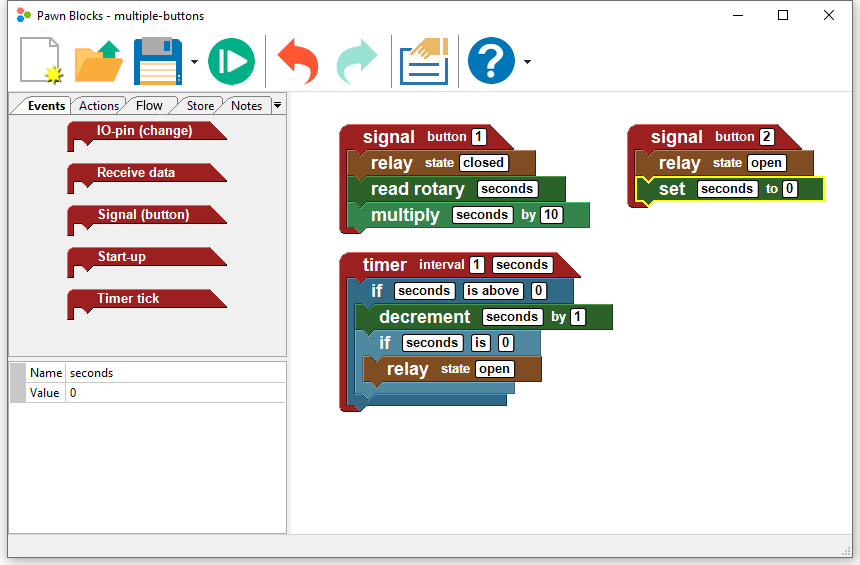
The pawn Development Kit for the USB Buttons includes all required tools, full documentation and several examples.
Downloads
- pawn Development Kit
-
Microsoft Windows 
Version 
Linux 
Version